Summary
Your system has the ability to message your patients automatically on the appointment day anytime there is a scheduled appointment. We’ve pre loaded our system with email and sms templates commonly used on the appointment day both before and after scheduled appointments and may include:
You can send the message on the day of the appointment anytime from 5 hours before the appointment to 5 hours after.
Review & Feedback Templates
Many practices are interested in patient feedback for two reasons:
1. Real patient feedback can highlight what your practice does well and offer suggestions on improvement. The “Feedback” tool in this case is an in-house survey possibly found on your practice website or patient portal, or created online with an app.
2. Patient feedback publicly posted online on review sites can help generate more business. Potential patients search online for patient reviews when making decisions about your practice and providers. Real, positive reviews posted by your patients can be a decisive factor when a potential patient is selecting a practice.
Getting your Patients to leave a review
To have the greatest likelihood of patients leaving a positive review online, Patient Communicator recommends taking the following 3 steps:
1. Use one of the 5-Star Templates loaded into the system. They will direct patients wishing to leave positive feedback (4 or 5 stars) to the review website your practice wishes to build. Google and Yelp Reviews seem to be preferred most by our practices. A patient wanting to leave negative feedback (1-3 stars) can be directed to a survey seen by your practice only and not left online.
2. Enable the template with appointment types used by returning patients. Their return visit is a sure sign of loyalty to and approval of your practice.
3. Use a Patient Tag to filter out patients from being sent the review request. The Patient Tag can be assigned to specific patients within Patient Details for that patient. You might call the tag No Review for easy identification.
Pre Loaded Templates
The system is pre loaded with email and sms templates commonly used both before and after scheduled appointments and may include:
Review-Multisite: This template is used when an online review is being requested from the patient for public display. A number of buttons are provided on the Review-Multisite email template. A patient clicking on those buttons will be directed to the appropriate review site if the review site URL is embedded into the button. The Yelp, Bing, Yahoo, Web MD, and Healthgrade buttons are not active until they contain the a URL (web link). To embed the URL:
- In the template edit screen, click on the button to be embedded with the URL. It will become highlighted. Click the hyperlink button on the editing toolbar.
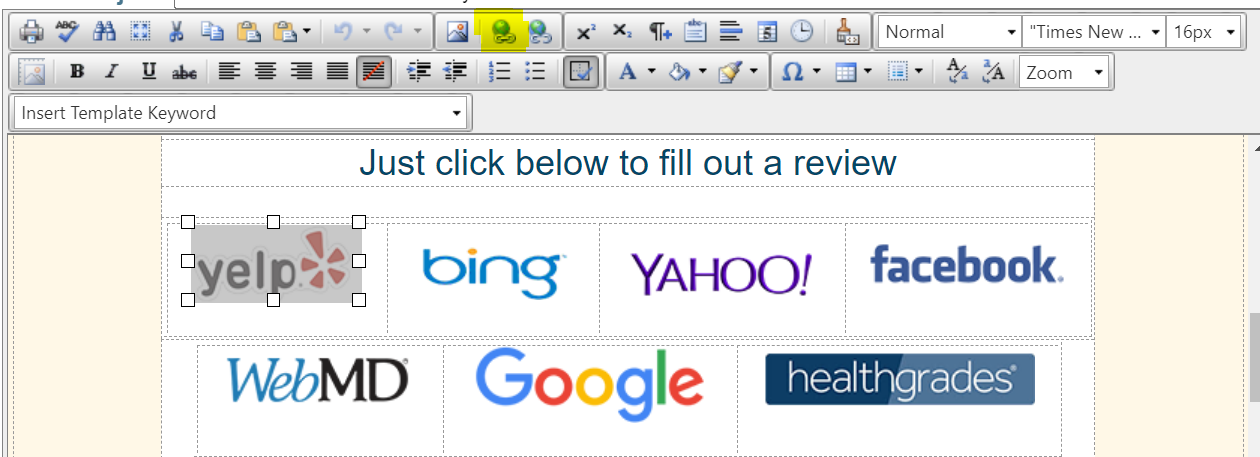 Select button to embed
 - Insert the URL and save by clicking OK.
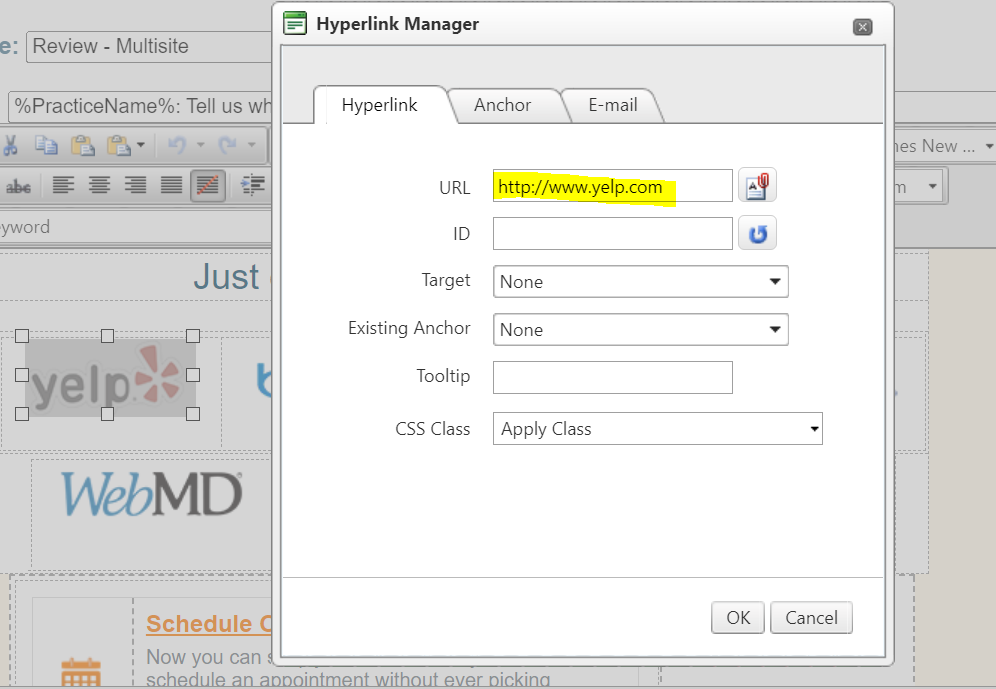 Hyperlink Manager
 - To delete unwanted buttons, click on the unwanted button and click delete on your keyboard.
Star Review and Star Review-Thanks for choosing: These are our most popular review request templates. Using either of these 5-Star templates adds an additional layer of filtering to hedge against negative feedback from being left online.
When using this template, a patient clicking 1, 2, or 3 stars can be directed to an in-house feedback site allowing viewing by your practice only. A patient clicking 4 or 5 stars can be directed to an online review site of your choice to leave a publicly viewed review.
 Star Ratings from Email Template
TThe stars are enabled by going to Settings > General Settings > Email Widgets, Reviews & Surveys. Enter the website (URL) for the review site into either the 1/2/3 Reviews field (for negative feedback) or the 4/5 Reviews field (positive feedback) then save.
 5 Star Reviews & Feedback Settings
Review-Feedback: You may wish to ask patients for feedback about their recent visit. These templates are intended for patient feedback seen by your practice only and not left for public display online.
Some practices have a feedback mechanism on their website or within a patient portal. If so, the link may be used for these templates. If not, Patient Communicator recommends www.SurveyMonkey.com, an online freeware not associated with Patient Communicator.
Each Feedback template in Patient Communicator contains a Feedback button which contains a link to the feedback website.  Feedback Button
Enable the link for the button by going to Settings>General Settings>Email Widgets, Reviews & Surveys. Enter the website (URL) for the review site in the field called Feedback then save. (See example above)
Patients clicking the feedback button will now be directed your feedback survey.
Other included Templates
New Patient: Templates designed to welcome new patients to your practice. Use new patient appointment types to trigger messages to your new patients before their appointment day. Templates may be edited to include links to new patient forms found on your practice website or anywhere else on the web.
Post Op: Templates designed to message patients post visit with follow up care instructions edited into the the text portion of the template. Use appointment types and/or patient tags to target patients in need of post care instructions.
Pre Op: A template intended for use when a pre-appointment message is needed. Appropriate to use for medication reminders, links to patient forms, reminders to bring bring their paperwork or referrals, etc. Use appointment types and/or patient tags to target patients in need of a pre-appointment message.
Thank You: It’s always a great idea to thank your patients for their visit, especially new patients by using new patient appointment types.
<End of Article>
